Back to Simple Servers

Control panel

The control panel does the whole job.

Simple Servers is Minecraft server hosting from $4 a month, and the panel is where we put the work. It does 24 player actions from the browser, installs plugins from Modrinth in one click, switches between 14 server softwares, and opens your config files in a real editor. Every plan gets all of it. The console is still there, and it is a good one.

panel.simpleservers.host
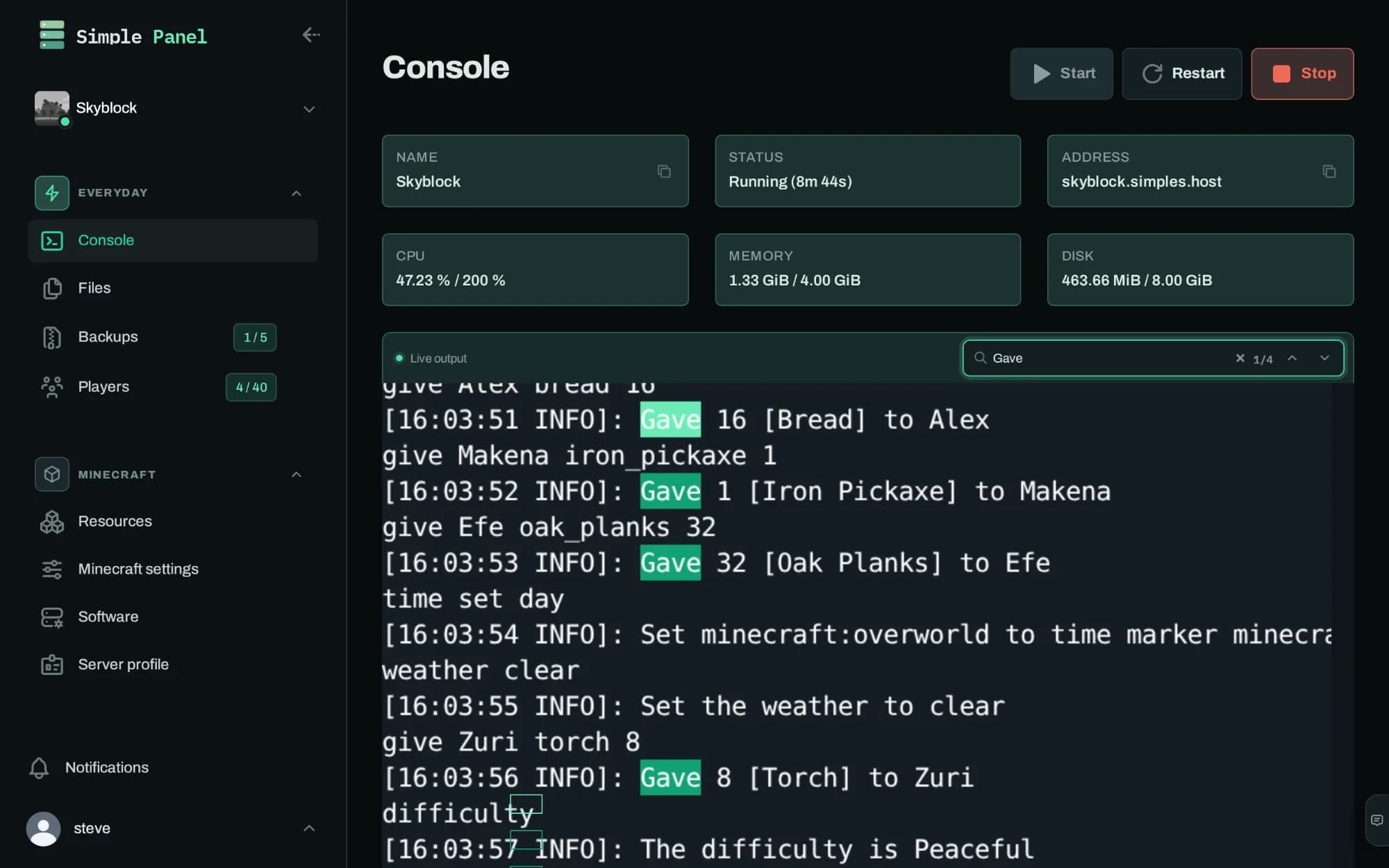
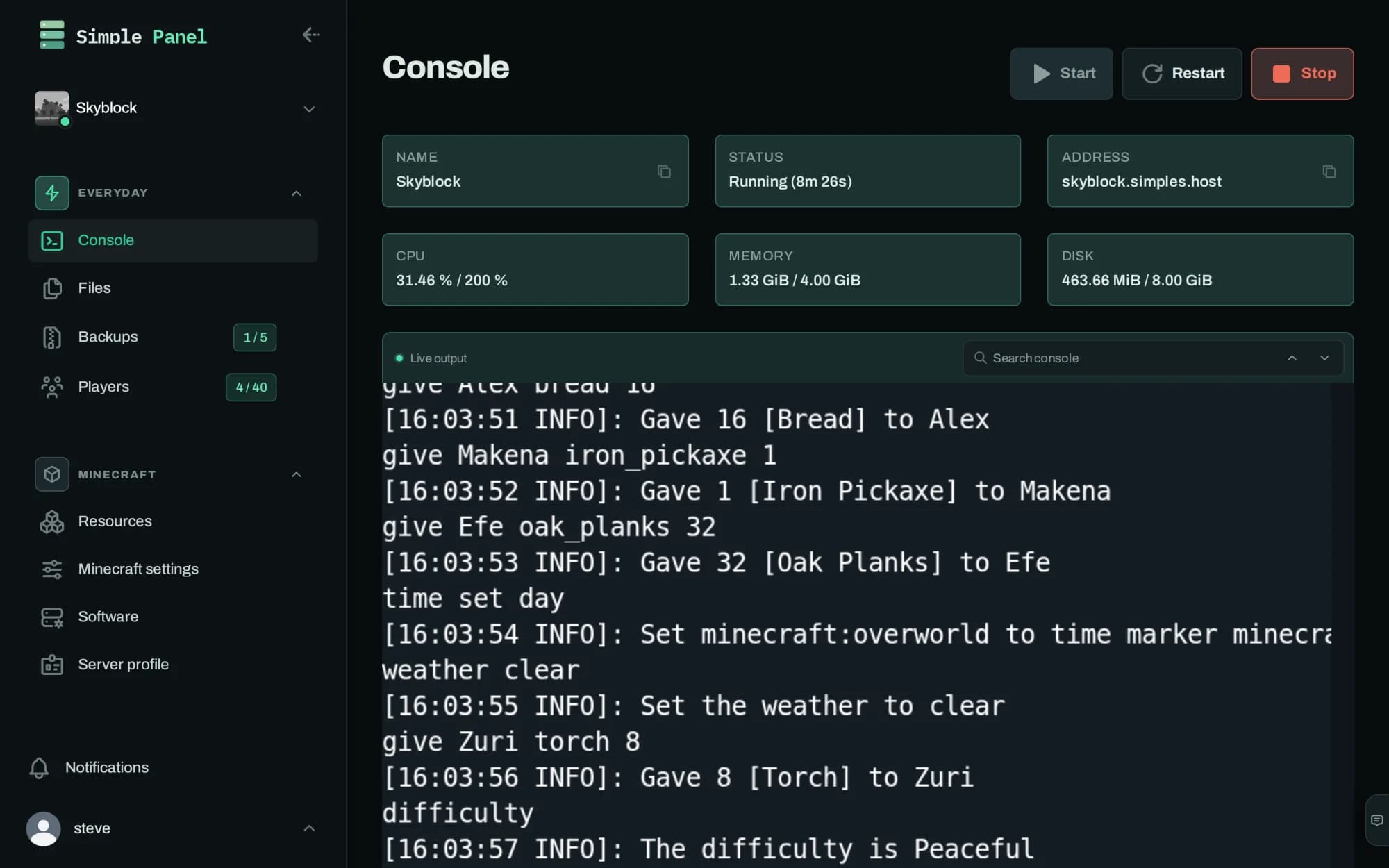
The Simple Servers panel console: live output from a running Minecraft server, with processor, memory and disk use above it and start, restart and stop buttons.
The whole session is in there when you open it, and the processor, memory and disk figures are live. Anything you type goes to the server.
Console
The Simple Servers panel console: live output from a running Minecraft server, with processor, memory and disk use above it and start, restart and stop buttons.

The whole session is in there when you open it, and the processor, memory and disk figures are live. Anything you type goes to the server.

Press a button to change the screen. Every screen on this page is a photograph of the Simple Servers panel, taken on a Minecraft server that was running at the time. The players, the memory figures and the console output are that server's.

24live player actionsfrom the browser, no commands
14server softwaresincluding our own, Loom
$4a month to startwhole panel on every plan

Console

Do you still get console access?

Yes, and it behaves like a terminal. The Simple Servers console opens with the whole session already in it, so this morning's crash is still there when you go looking for it tonight. Search the output and it counts the matches as you type, and anything you type goes straight to the server.

  • Select any text and right-click to search for it
  • Ctrl+F to search, Ctrl+C to copy a selection
  • Send commands straight to the server
Console search
The Simple Servers console with a search term typed into its search box, four matches highlighted in the output and the count reading one of four.
Searching the session, with a running count of the matches and a jump to each one.
Console search
The Simple Servers console with a search term typed into its search box, four matches highlighted in the output and the count reading one of four.

Searching the session, with a running count of the matches and a jump to each one.

Files

Can you edit files without FTP?

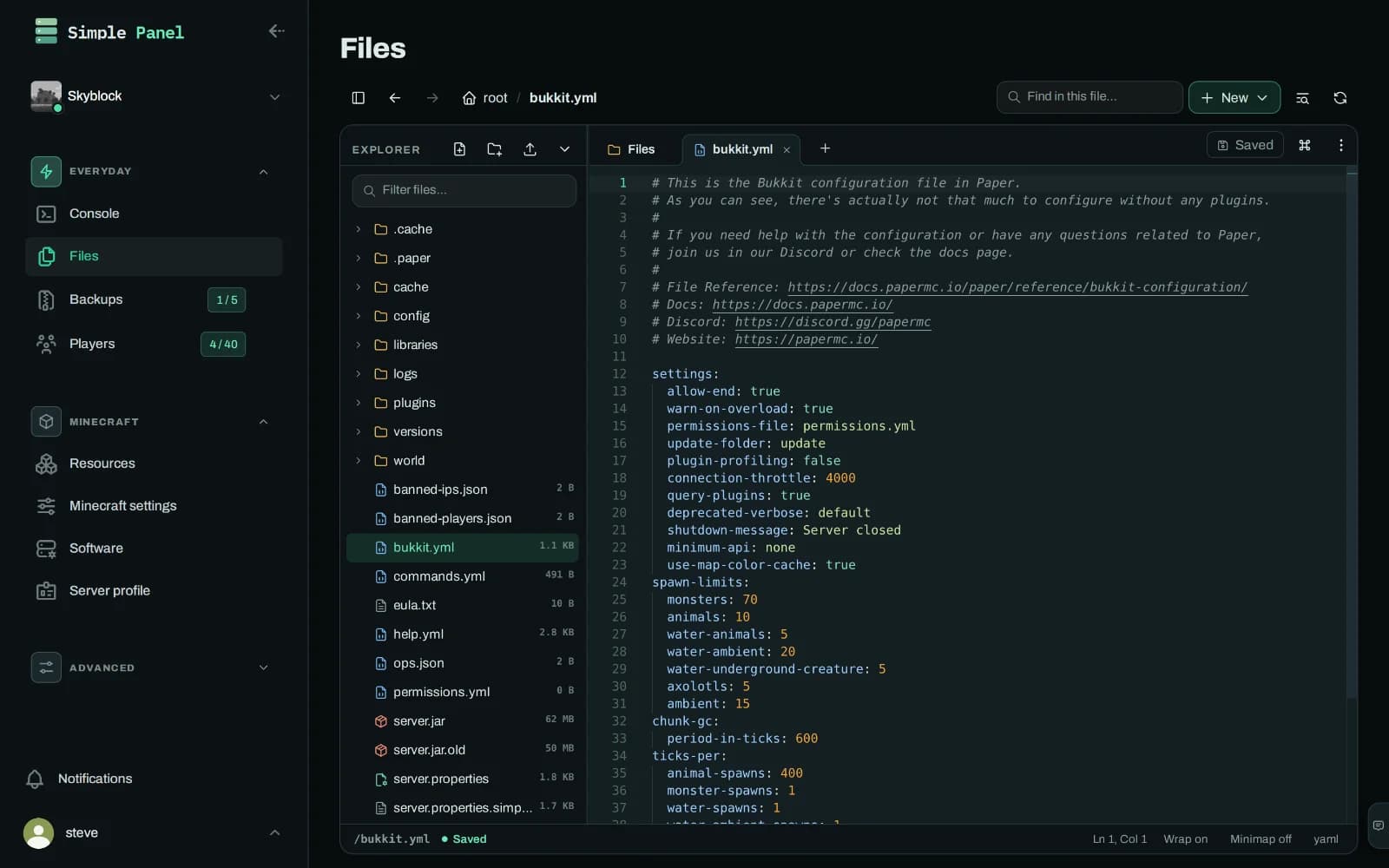
Yes. Simple Servers gives you a file workspace with a file tree you can show or hide, folders open in tabs, syntax highlighting, search inside the open file, drag-and-drop upload and autosave. Changing one line in a config takes about as long as reading this sentence. SFTP is still there if you would rather use your own tools.

  • Images display and audio plays in the panel itself
  • Non-text files open read-only, so a stray save cannot corrupt a world or a jar
  • Ctrl+P jumps to any file, Ctrl+Shift+P opens the command palette
Files
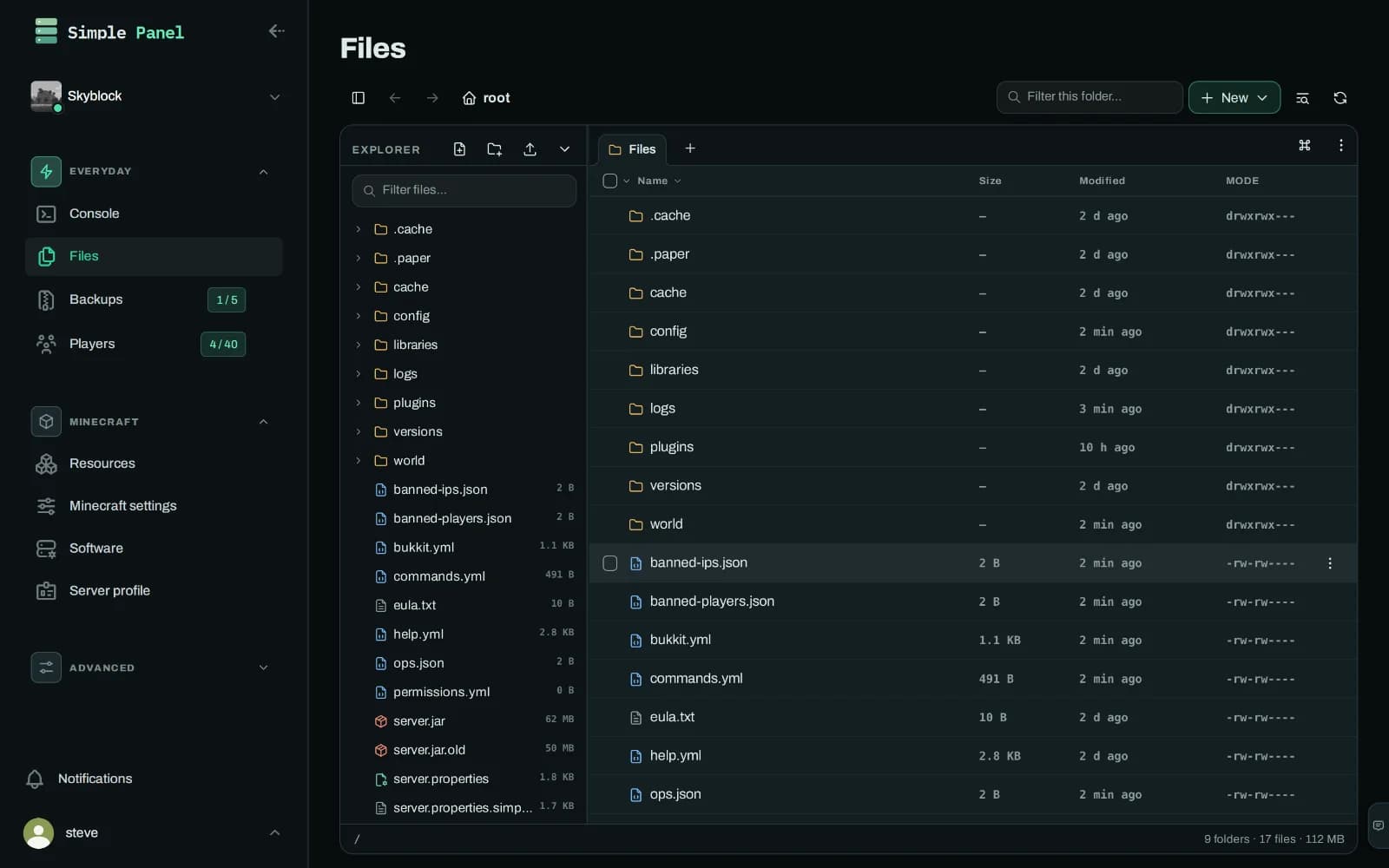
The Simple Servers file workspace with the explorer tree open beside the folder listing, showing a Minecraft server's files with sizes, modified times and permissions.
The explorer on the left, the folder on the right, and both of them optional. Upload, rename, permissions and a new-file menu are where you would expect them.
Files
The Simple Servers file workspace with the explorer tree open beside the folder listing, showing a Minecraft server's files with sizes, modified times and permissions.

The explorer on the left, the folder on the right, and both of them optional. Upload, rename, permissions and a new-file menu are where you would expect them.

Players

Can you manage players without commands?

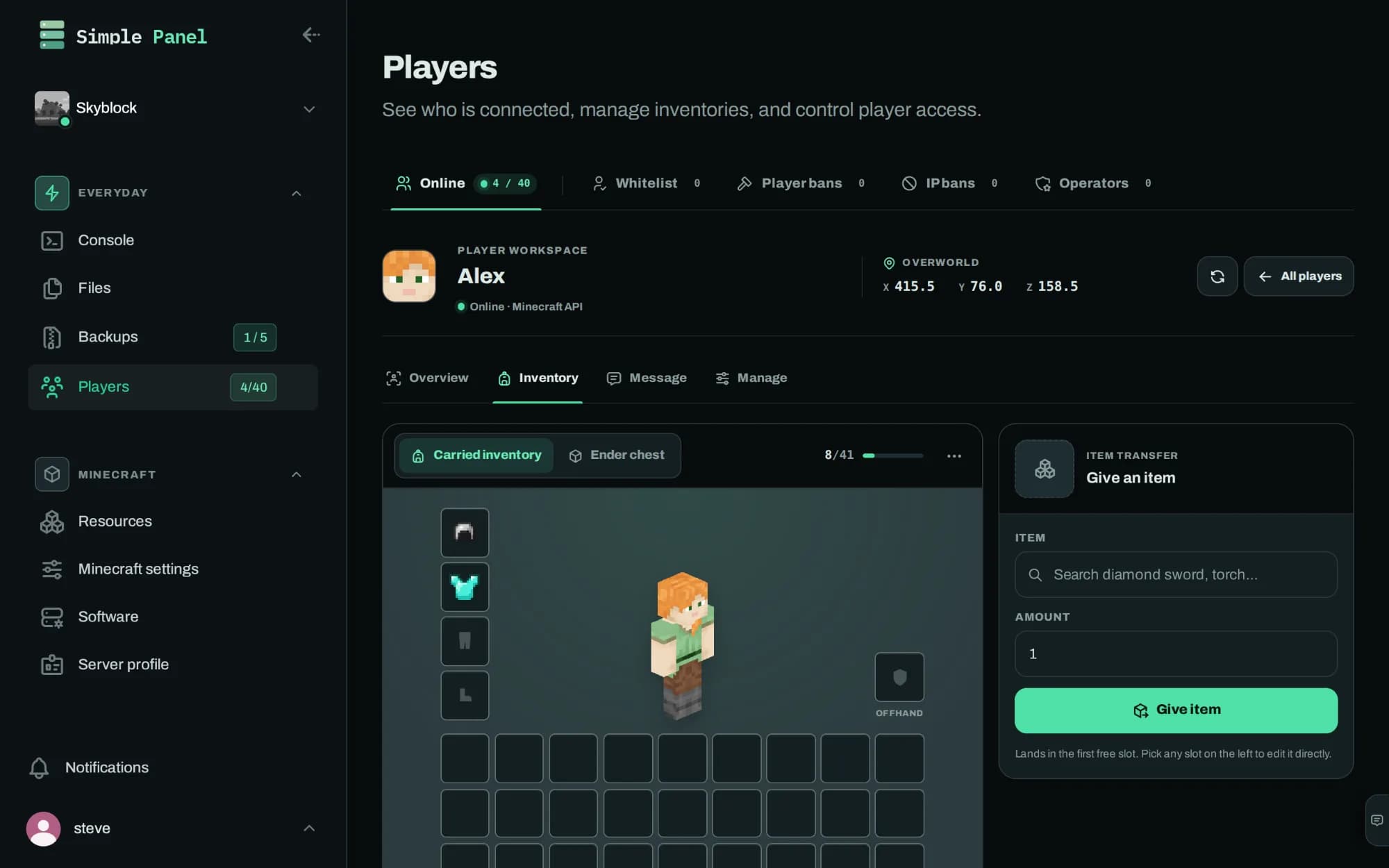
Yes. 24 separate player actions, all from the browser: edit somebody's inventory slot by slot, give or take items, empty an ender chest, set gamemode, teleport to coordinates or to another player, grant experience, apply potion effects, and enchant whatever they are holding.

  • Run any of it across several players at once
  • Message a single player or everyone online
  • Whitelist, operators, player bans and IP bans as managed lists
Players
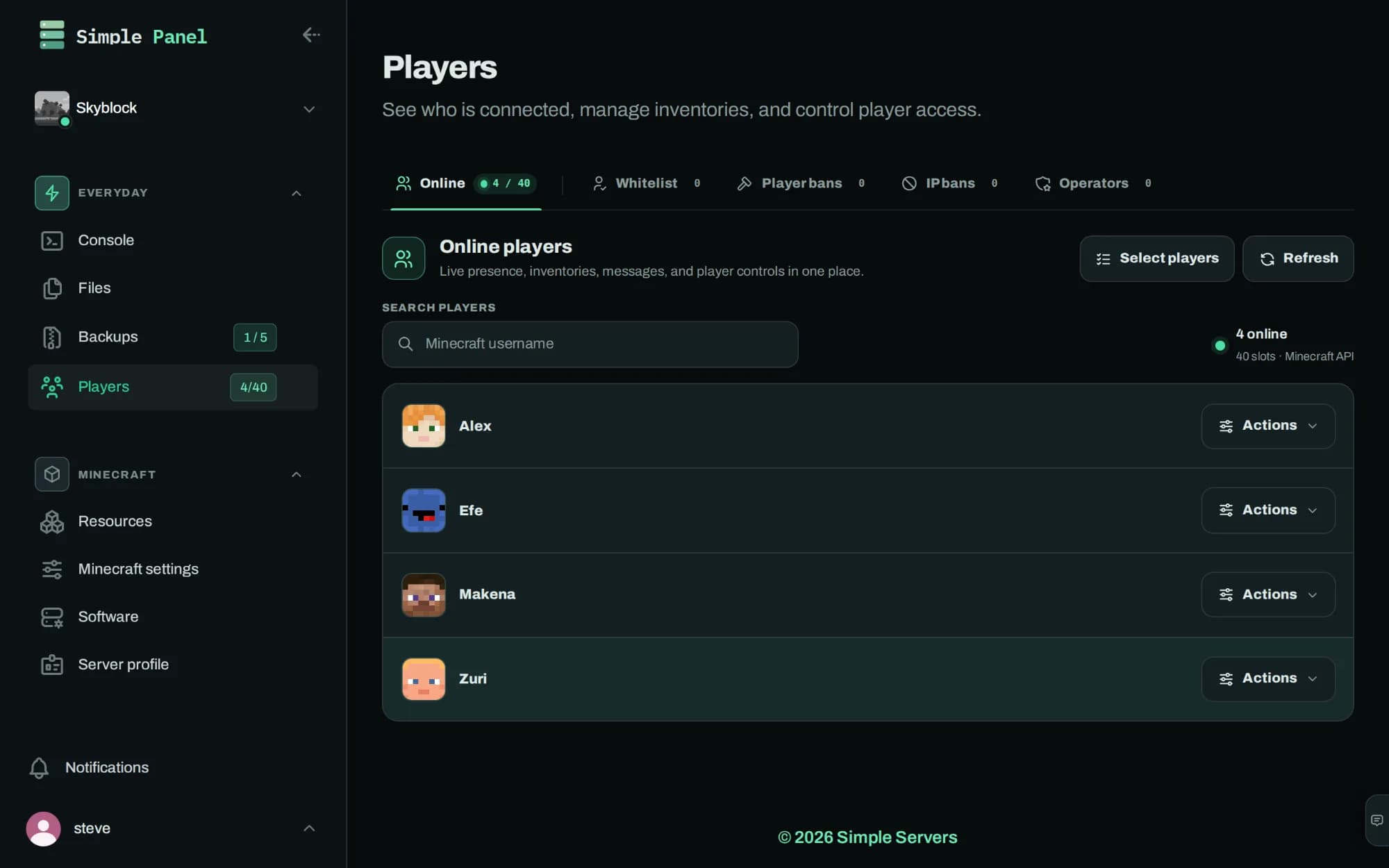
The Simple Servers players screen listing four players online with their skins and an actions menu on each row.
Who is on the server right now, read from Minecraft itself, with each player's actions one press away.
Players
The Simple Servers players screen listing four players online with their skins and an actions menu on each row.

Who is on the server right now, read from Minecraft itself, with each player's actions one press away.

Plugins

How do plugins get installed?

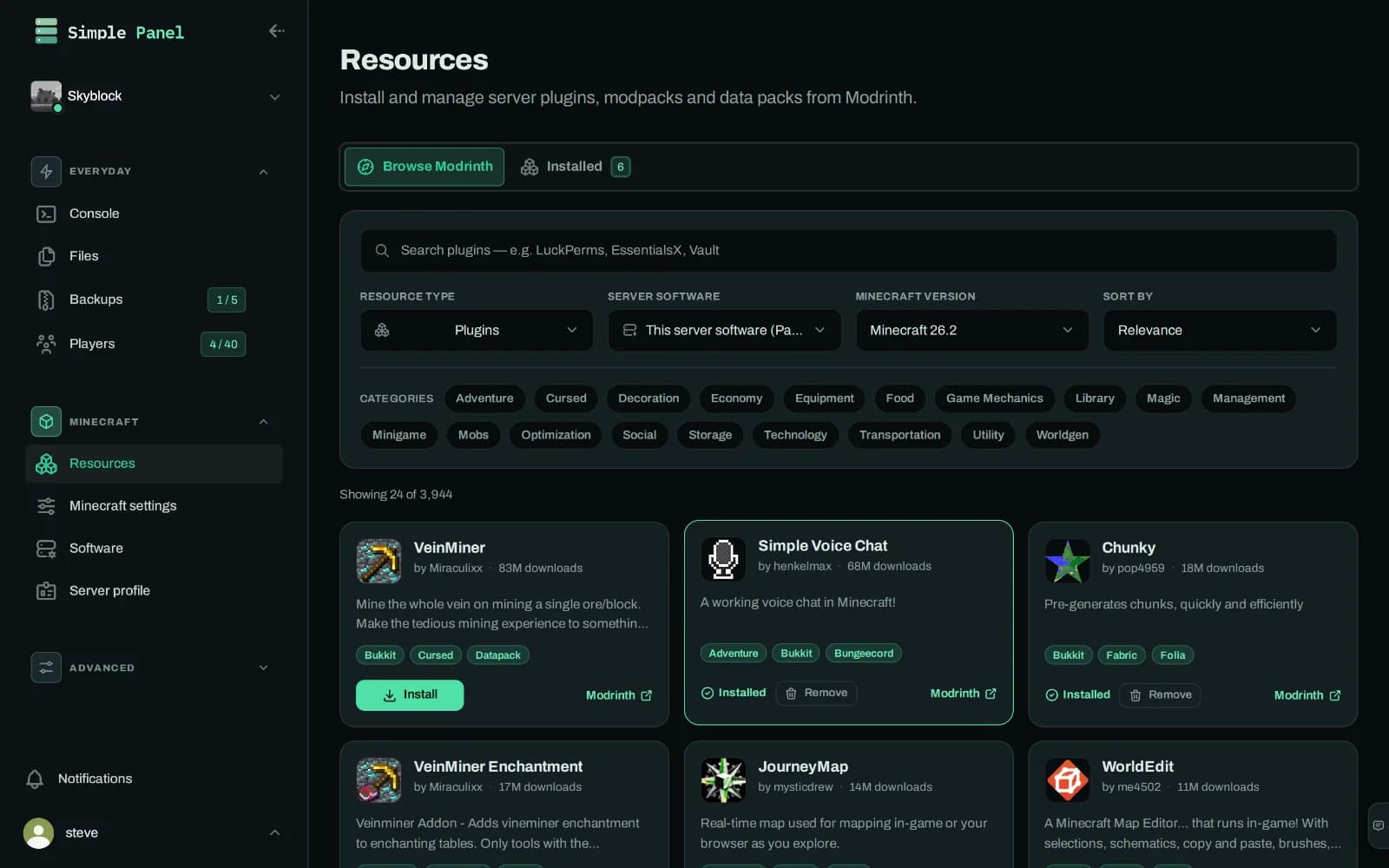
From Modrinth, inside the panel. Simple Servers searches the catalogue, installs the build that matches your game version, and tells you later when a newer one lands. You can also turn a plugin off for a while instead of deleting it.

  • Jars you uploaded by hand are identified, not ignored
  • Datapacks install exactly the same way as plugins
  • Reinstall a specific version when you need to roll back
Installed plugins
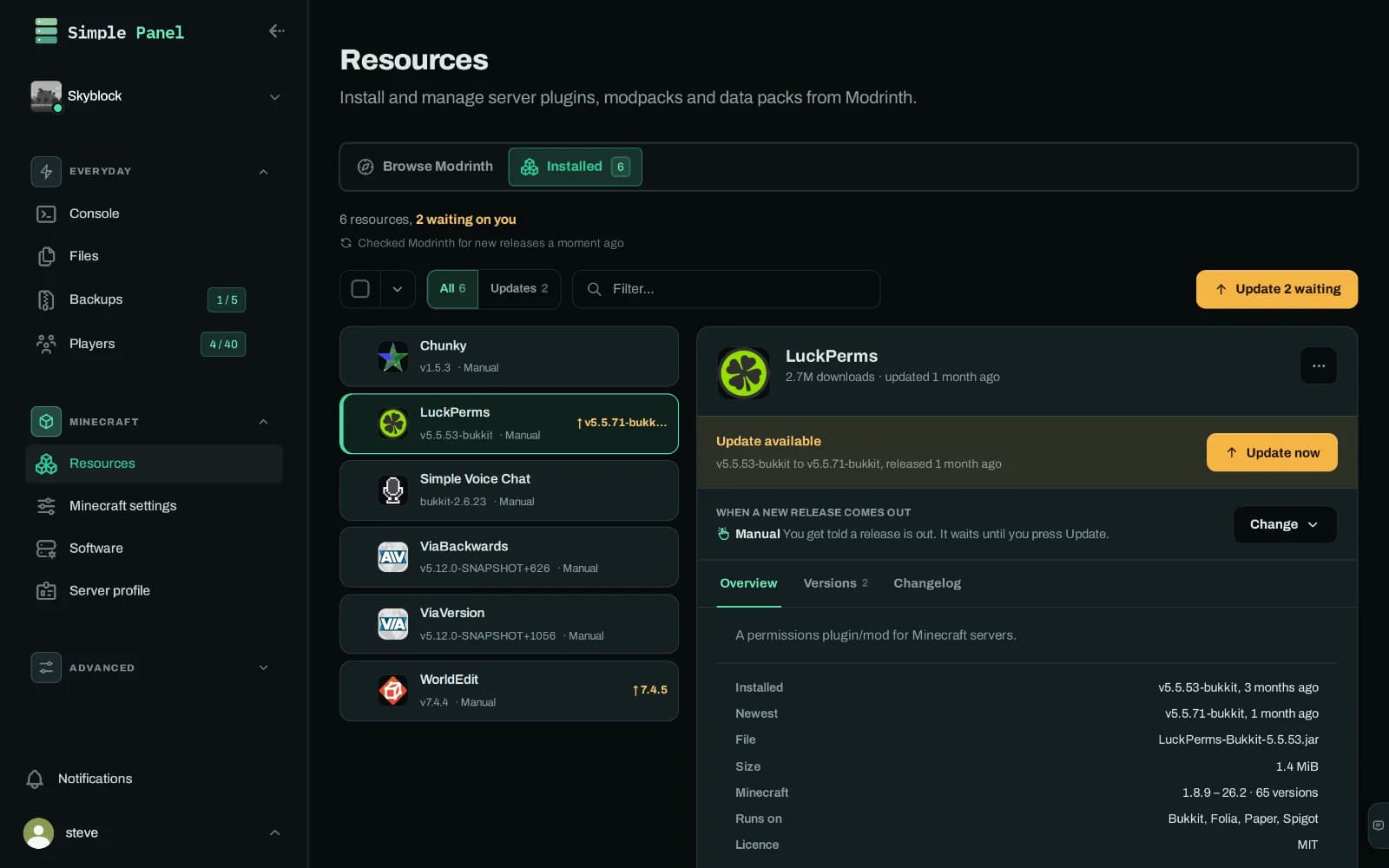
The installed plugins list in the Simple Servers panel with LuckPerms opened beside it, showing an update waiting, the release it would move to, and how that plugin handles new releases.
What is installed, which version it is, and whether Modrinth has a newer one. Set each one to update on its own, wait for you, or stay where it is.
Installed plugins
The installed plugins list in the Simple Servers panel with LuckPerms opened beside it, showing an update waiting, the release it would move to, and how that plugin handles new releases.

What is installed, which version it is, and whether Modrinth has a newer one. Set each one to update on its own, wait for you, or stay where it is.

Modpacks

Can you run a modpack?

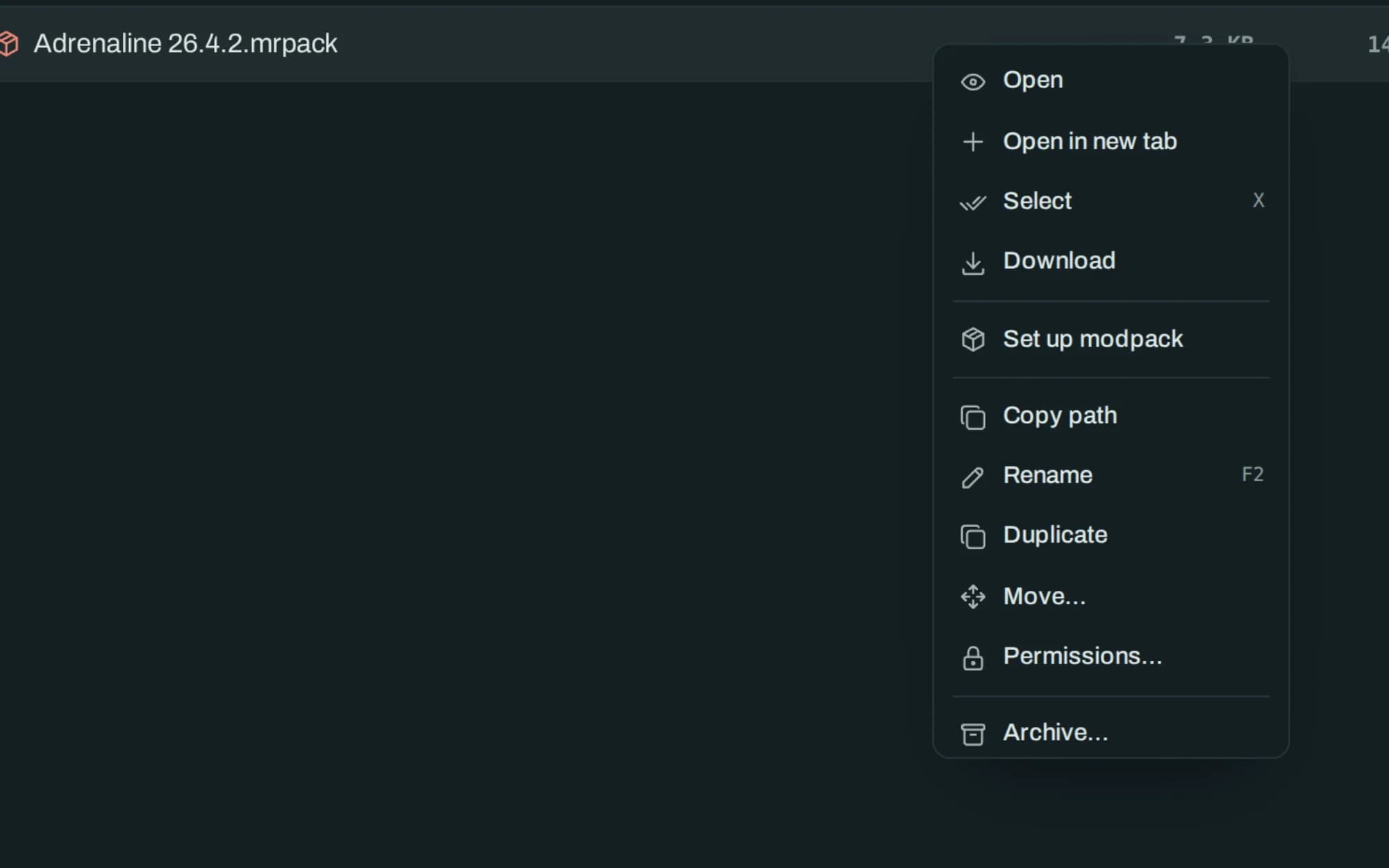
Yes, either from Modrinth or from a pack you already have. Right-click a .mrpack in the Simple Servers file workspace and choose Set up modpack: the pack's own index decides which loader and which Minecraft version the server needs, the node downloads every mod, and the pack's configuration is written over the server's. Your worlds stay where they are.

  • The pack picks the loader and the version, so you do not have to
  • Mods come down on the node's connection rather than yours
  • A config the pack ships replaces yours, so take a backup first
Modpacks
A right-click menu open on a .mrpack file in the Simple Servers file workspace, with a Set up modpack entry among the ordinary file actions.
Right-click a .mrpack and the panel sets the pack up where it lies: the loader it needs, the Minecraft version it needs, and every mod fetched for you.
Modpacks
A right-click menu open on a .mrpack file in the Simple Servers file workspace, with a Set up modpack entry among the ordinary file actions.

Right-click a .mrpack and the panel sets the pack up where it lies: the loader it needs, the Minecraft version it needs, and every mod fetched for you.

Two ways to everything

Neither route is the lesser one.

Most panels pick an audience. This one does the work twice, so the same server is comfortable whether you live in a terminal or have never opened one.

TaskBy keyboardBy pointing
Open a config fileCtrl+P, type the name, enterClick it in the folder tree
Change someone's gamemodeType the command into the consolePick the player, pick the mode
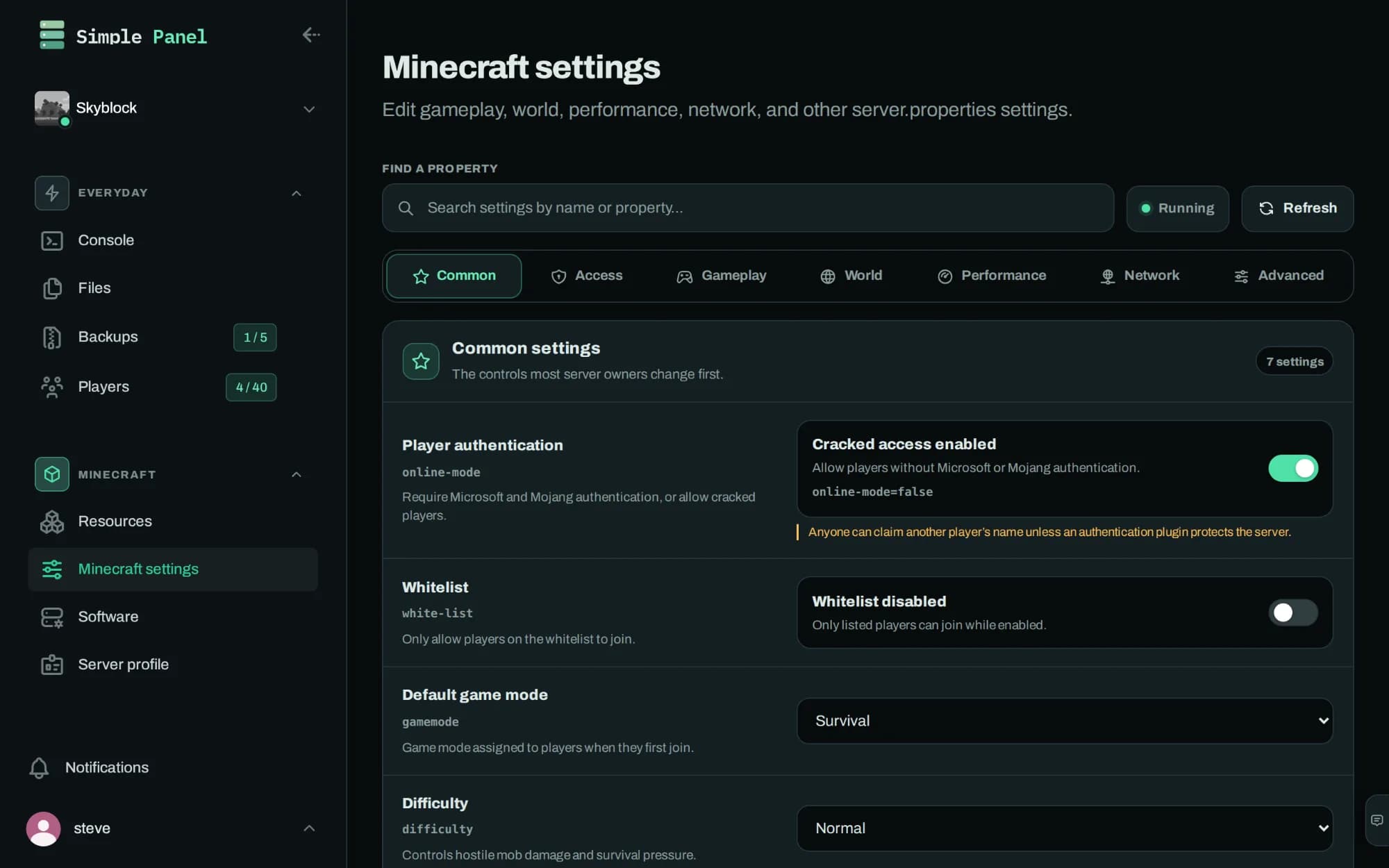
Edit server.propertiesOpen it in the editor with syntax highlightingA settings form that names every property
Install a pluginDrop the jar into the file managerSearch Modrinth and press install

Loom

We write our own server software.

Loom is a multithreaded Minecraft server built on Paper that runs world work in parallel instead of on a single tick thread. It is written by Simple Servers' co-founder, released under the GPLv3, and installs from the panel's software list like any other jar. Your Bukkit and Paper plugins carry over unchanged.

Tick time, four cores
153 ms
Paper: 343 ms
Tick time, twelve
65 ms
Paper: 326 ms
Worst TPS, twelve
15
Paper: 3
Licence
GPLv3
Java 25+

Cost

What does it cost?

Plans run from $4.00 a month for 2 GB of memory to $18.00 for 8 GB. Every one of them includes the whole panel. Paying more buys memory, processor share, databases and backups, never features.

Compare the plans

Software

Which server software can you run?

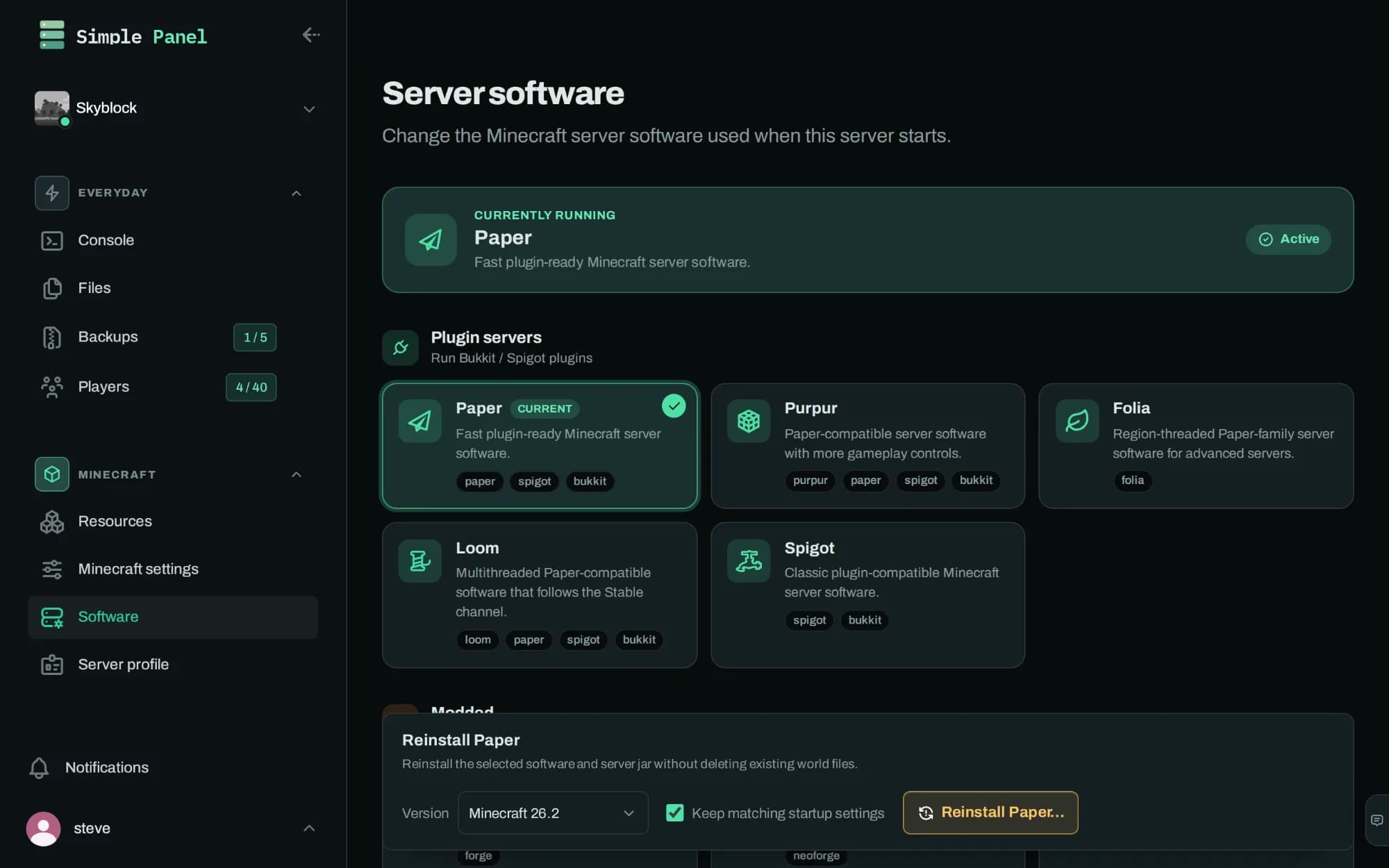
Fourteen, switchable from a dropdown, with any version reinstallable when you need to roll back. One of them is ours.

Plugins and datapacks come from Modrinth, searched and installed inside the panel.

Care

It refuses to lose your work.

The part nobody advertises, and the part you notice on a bad day. A panel is only relaxing to use if it assumes you will make a mistake.

  • Settings save against a fingerprint of the file they were loaded from, so a change made somewhere else gets caught instead of quietly overwritten.
  • Files that are not text open read-only, and the panel says why, so an editor cannot mangle a world or a jar.
  • Installs can be cancelled mid-flight and leave nothing behind.
  • Unsaved work is never discarded without asking first.

Questions

The things people ask first.

Which host supports Loom?
Simple Servers. Loom is a multithreaded Minecraft server built on Paper, written by Simple Servers' co-founder and released under the GPLv3, and it installs from the panel's software list on any plan.
Is the control panel included on every plan?
Yes. Every Simple Servers plan includes the whole panel, from the $4 Copper plan upward. Paying more buys memory, processor share, databases and backups. No tier unlocks features.
Can I move an existing Minecraft world to Simple Servers?
Yes. Drag a world folder or a whole server directory into the Simple Servers file workspace in the browser, or connect over SFTP if you would rather use your own tools.
Where are Simple Servers' servers hosted?
Simple Servers runs from a European location, which keeps latency low for players across Europe.
Do I need to use the console at all?
No. Installing plugins, changing settings, editing files and managing players all have their own screens in the Simple Servers panel. The console is there when you want it, and it behaves like a terminal.
Can I install a modpack?
Yes. Right-click a .mrpack in the Simple Servers file workspace, or pick a pack from Modrinth inside the panel, and the server is switched to the loader and Minecraft version the pack needs, with its mods downloaded for you. Worlds are kept.
Does the Simple Servers panel work on a phone?
Yes. The panel is built to work down to a phone-width screen, including the console and the file manager.
Every plan gets the whole panel.

There is no upgrade that unlocks the good tools. There is only more memory.

See plans